
Download Whale Browser – Fast, Secure & Light Android Browsing
Overview
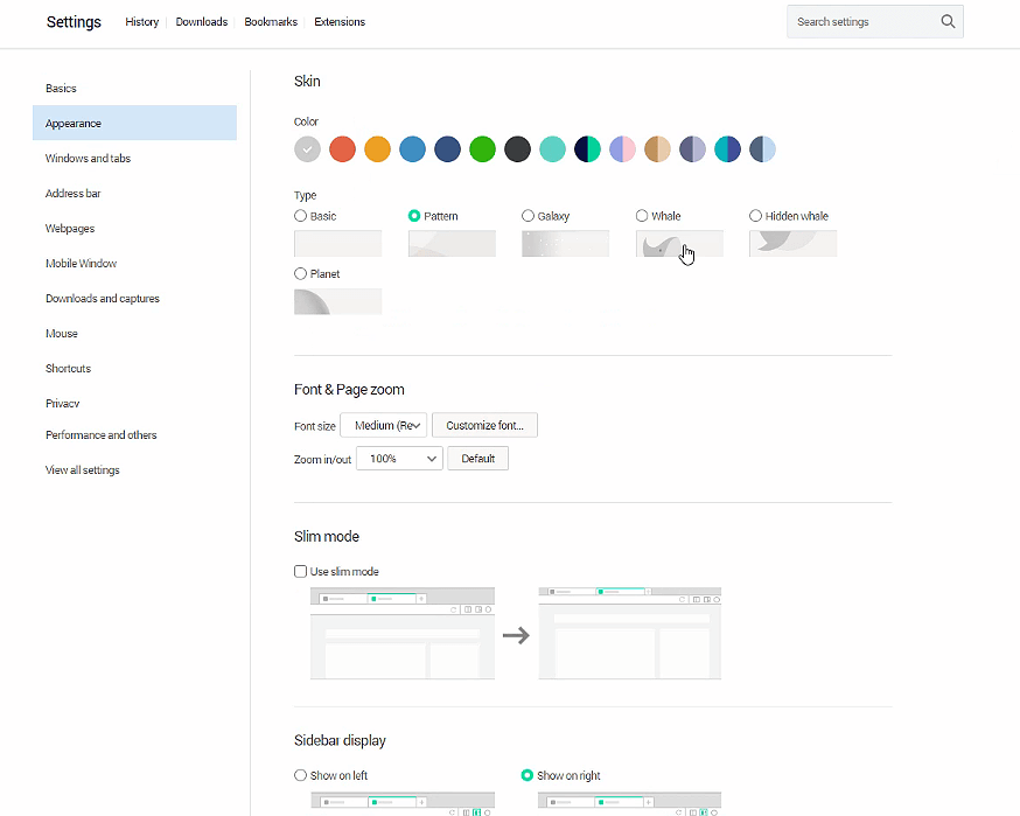
Whale Browser is a lightweight, high‑performance Android browser that puts speed and privacy at the forefront of mobile web surfing. Designed with a minimal RAM footprint, Whale Browser keeps your device responsive even when you have dozens of tabs open. The interface is fully customizable, letting you rearrange shortcuts, switch between light and dark themes, and add quick‑access widgets for weather, bookmarks, or frequently visited sites directly on the home screen.
One of its standout features is the instant panel, which previews a webpage in a side drawer without the need to launch a new tab—perfect for rapid information gathering. Whale Browser also integrates a built‑in ad‑blocker, guaranteeing a clean, distraction‑free experience, while the incognito mode safeguards your browsing history from prying eyes. With a sleek design, dark mode for low‑light environments, and a focus on resource efficiency, Whale Browser is an ideal choice for anyone looking for a secure, fast, and user‑friendly browsing tool on Android.
Core Features
- Lightweight Engine: Optimized RAM usage ensures smooth performance on low‑end devices.
- Instant Panel Preview: View pages in a side drawer without opening new tabs.
- Built‑in Ad‑Blocker: Blocks intrusive ads and trackers for a cleaner browsing experience.
- Incognito Mode: Private windows that leave no trace of your browsing activity.
- Customizable Home Screen: Add weather widgets, bookmarks, and shortcuts directly on the main page.
- Dark Mode: Reduces eye strain and saves battery on OLED displays.
- Secure HTTPS Enforcement: Forces secure connections whenever possible.
- Fast Page Rendering: Uses a modern rendering engine that loads pages in seconds.
- Gesture Navigation: Swipe gestures for back, forward, and tab switching.
- Regular Updates: Automatic updates keep security patches and new features current.
Installation & Usage Guide
Step‑by‑Step Installation
Downloading Whale Browser is straightforward. Open the Google Play Store on your Android device, search for “Whale Browser,” and tap the Install button. The app is free and requires Android 5.0 Lollipop or later. After installation, launch the app and grant optional permissions such as location (for weather widgets) and storage (for downloading files). These permissions enhance functionality but are not mandatory for core browsing.
First‑Run Configuration
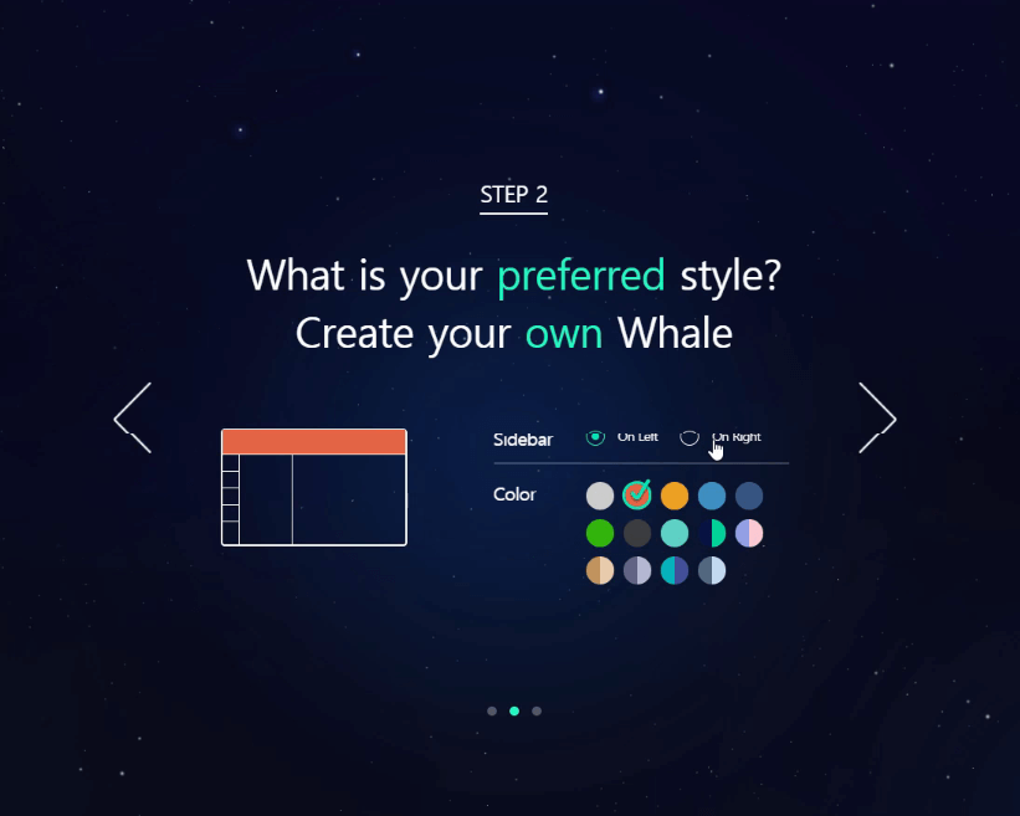
Upon first launch, Whale Browser greets you with a quick setup wizard. You can choose your preferred theme (light or dark), enable or disable the ad‑blocker, and import bookmarks from other browsers if you wish. The wizard also offers to set Whale Browser as the default web browser—an optional step that streamlines opening links from other apps.
Everyday Navigation
Navigation mirrors familiar Android browsers: a bottom address bar, tab switcher, and a three‑dot menu for advanced settings. To use the instant panel, simply long‑press a link or tap the preview icon next to search results; the page will slide in from the right, allowing you to glance at content without leaving your current tab. The ad‑blocker works automatically, but you can whitelist specific sites through Settings → Privacy → Ad‑Blocker. For private browsing, select “New Incognito Tab” from the menu; all cookies and history are discarded when you close the tab. The customizable home screen can be edited by tapping the pencil icon, where you drag and drop widgets, reorder bookmarks, and set your preferred background.
Troubleshooting Tips
If you notice occasional lag, try clearing the cache via Settings → Privacy → Clear Cache. For pages that refuse to load, disable the ad‑blocker temporarily to see if a script is being blocked. Whale Browser also offers a “Report a Problem” feature in the Help section, sending logs directly to the development team for faster resolution.
Compatibility, Pros & Cons, FAQ & Conclusion
Supported OS: Android 5.0 Lollipop and above (including the latest Android 14). Whale Browser is not available for iOS, Windows, or macOS.
Pros
- Exceptionally low RAM usage, ideal for older devices.
- Instant panel speeds up research without cluttering tabs.
- Effective built‑in ad‑blocker provides a smoother experience.
- Dark mode reduces eye strain and improves battery life.
- Highly customizable home screen for quick access to tools.
Cons
- No desktop version; limited to Android.
- Feature set is smaller compared to Chrome or Firefox.
- Some advanced extensions are not supported.
- Occasional compatibility issues with very heavy web apps.
Frequently Asked Questions
Is Whale Browser completely free?
Yes, Whale Browser is free to download and use. There are no hidden subscription fees, and the ad‑blocker is included at no extra cost.
Does Whale Browser support extensions?
Whale Browser currently offers a limited set of built‑in features rather than a full extension marketplace. Power users who rely on third‑party extensions may prefer Chrome or Firefox.
How does the instant panel differ from opening a new tab?
The instant panel loads a preview of the selected page in a side drawer, allowing you to skim content without allocating a full tab. This saves memory and keeps your tab bar uncluttered.
Can I sync bookmarks across devices?
Whale Browser does not yet offer a native cloud sync feature. Users can manually export and import bookmarks via the Settings menu.
Is my data safe when using incognito mode?
Incognito mode prevents local storage of browsing history, cookies, and form data. However, your activity may still be visible to websites, your carrier, or network administrators.
Conclusion & Call to Action
Overall, Whale Browser delivers a compelling blend of speed, privacy, and lightweight design that makes it a strong contender for Android users seeking an alternative to heavyweight browsers. Its instant panel and ad‑blocking capabilities provide tangible productivity gains, while the dark mode and customizable home screen cater to personal comfort. Though it lacks a desktop counterpart and a full extension ecosystem, the core experience is polished and reliable. If you prioritize a fast, secure browsing experience without sacrificing battery life, Whale Browser is worth a download today. Click the download button below to install Whale Browser for free and start enjoying a smoother, ad‑free web journey on your Android device.







